Jan. 10, 2026 - New Billing Page with Seats Info & Time Off Year Start
🚀 What’s new?
💳 New Billing Page with Seats Info
We’ve redesigned the Billing page to give you a clearer view of your subscription and seat usage.
The updated page now displays a detailed seats breakdown, so you can easily see how many seats are in use and how your usage maps to your current plan.
What’s included:
- Seats overview - see your total seats, active seats, and remaining availability at a glance.
- Usage details - understand how seats are allocated across your organization.
- Plan information - view your current plan details and billing cycle alongside seat usage.
To view the new page, go to Settings › Billing .
📅 Time Off Year Start
Time off policies can now be aligned with your fiscal year instead of the calendar year.
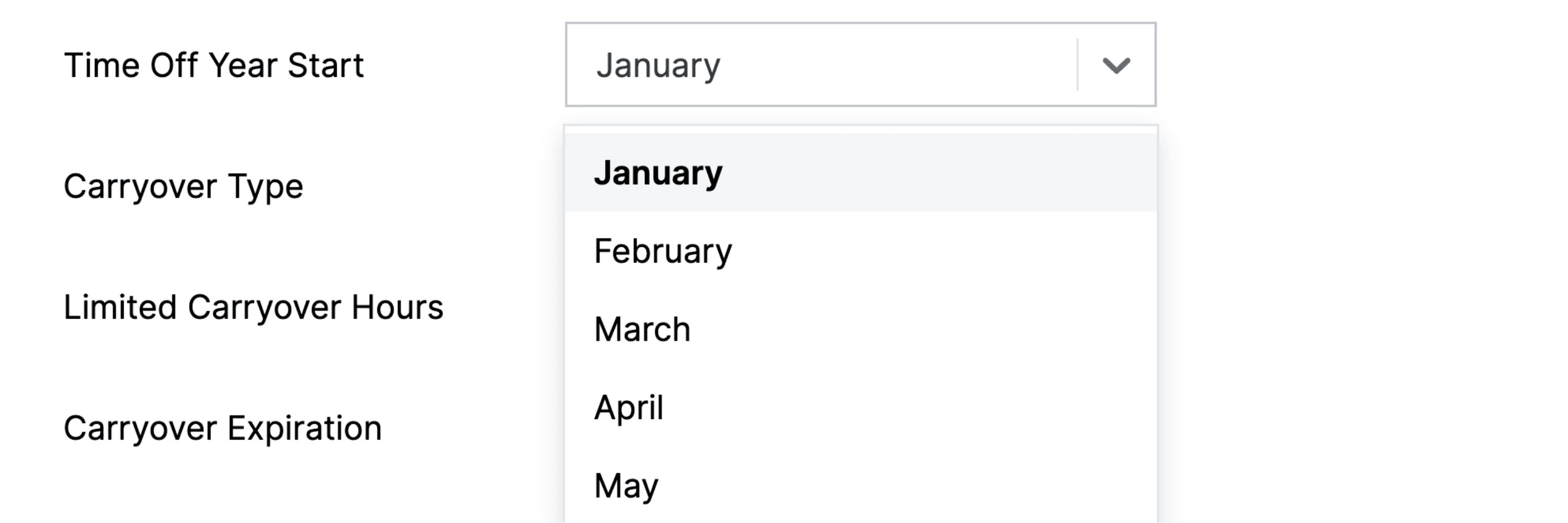
The new Time Off Year Start setting lets you choose which month your time off year begins - for example, April for fiscal year April-March, or July for July-June.
What this affects:
- Accrual periods - quarterly and annual accruals align to the configured year start. For example, with an April start, Q1 runs April-June.
- Carryover and expiration - balance resets and carryover expirations are calculated within fiscal periods, not calendar year boundaries.
- Balance tracking - all balance calculations respect the configured financial period for accurate tracking.
To configure, go to Settings › Time Off Policies , select a policy, and set the Time Off Year Start month. The default remains January.